
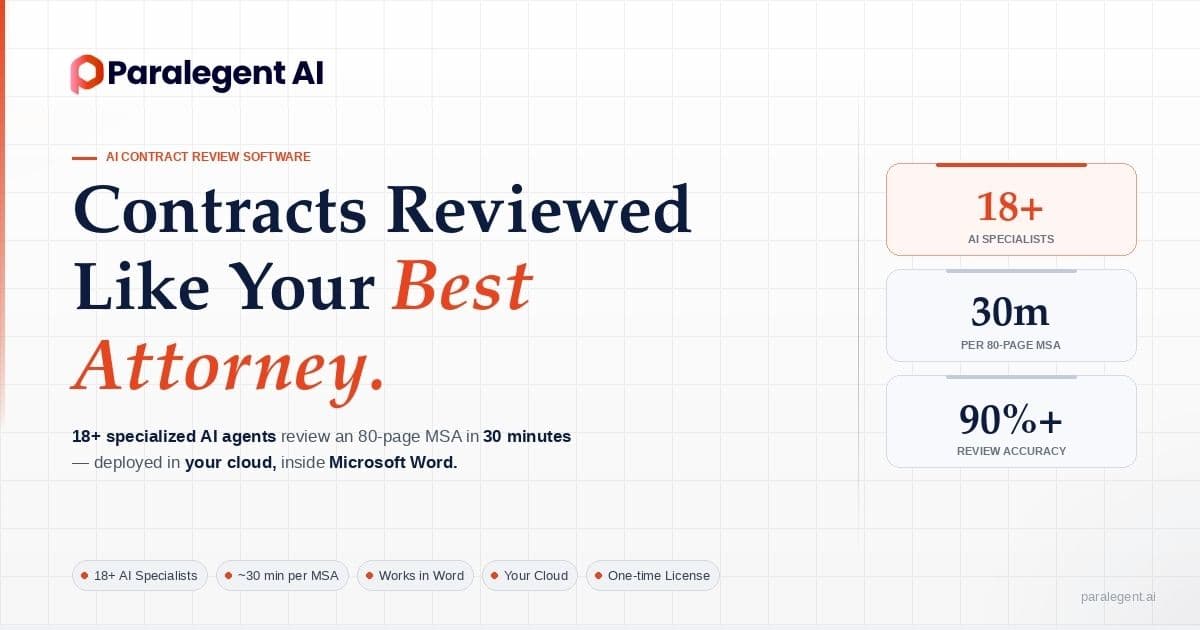
Paralegent AI frequently asked questions.
Everything legal teams ask before deploying Paralegent AI — from playbook setup and multi-agent orchestration to cloud security and implementation timelines.
26 questions answered across 5 categories — playbook, AI specialists, security, deployment, and product mechanics. Unfamiliar term in an answer? Look it up in the contract review glossary.
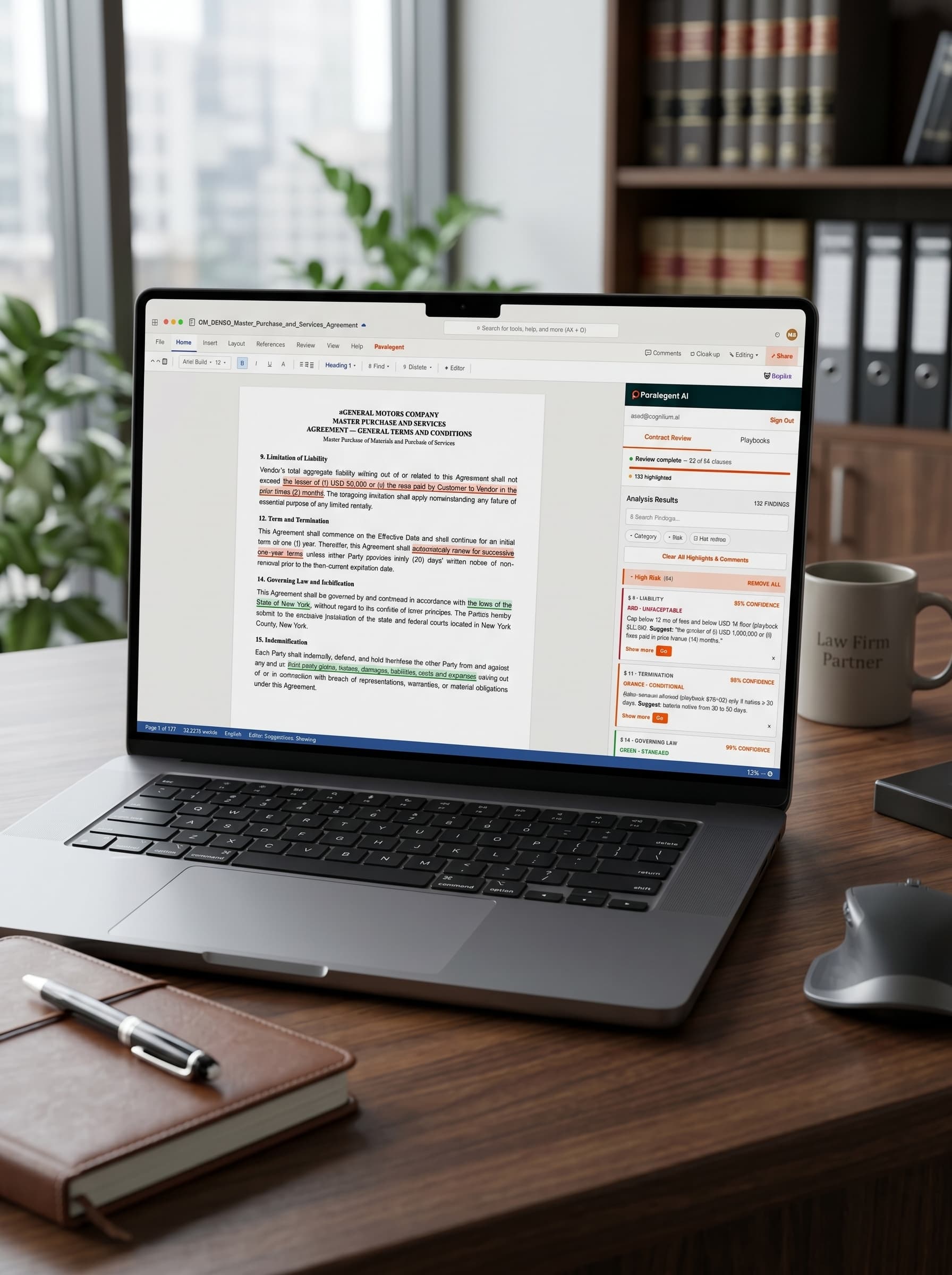
aGENERAL MOTORS COMPANY
MASTER PURCHASE AND SERVICES
AGREEMENT — GENERAL TERMS AND CONDITIONS
Master Purchase of Materials and Provision of Services
9. Limitation of Liability
Vendor's total aggregate liability arising out of or related to this Agreement shall not exceed the lesser of (i) USD 50,000 or (ii) the fees paid by Customer to Vendor in the prior three (3) months. The foregoing limitation shall apply notwithstanding any failure of essential purpose of any limited remedy.
12. Term and Termination
This Agreement shall commence on the Effective Date and shall continue for an initial term of one (1) year. Thereafter, this Agreement shall automatically renew for successive one-year terms unless either Party provides thirty (30) days' written notice of non-renewal prior to the then-current expiration date.
14. Governing Law and Jurisdiction
This Agreement shall be governed by and construed in accordance with the laws of the State of New York, without regard to its conflict of laws principles. The Parties hereby submit to the exclusive jurisdiction of the state and federal courts located in New York County, New York.
15. Indemnification
Each Party shall indemnify, defend, and hold harmless the other Party from and against any and all third-party claims, losses, damages, liabilities, costs, and expenses arising out of or in connection with breach of representations, warranties, or material obligations under this Agreement.
How Paralegent AI reviews contracts.
From contract upload to redline delivery in 2-8 minutes — here is how it works.
What is Paralegent AI and how does it work?
Paralegent AI is a production AI accelerator for contract due diligence. It deploys in your cloud and analyzes contracts against your custom playbook using 18+ specialized AI agents. Each agent handles a distinct legal category, classifying every clause as GREEN, ORANGE, or RED. Full analysis completes in 2-8 minutes.
How is Paralegent AI different from ChatGPT for contracts?
Generic LLMs apply one-size-fits-all logic. Paralegent AI enforces your company's specific playbook with 80-150 structured terms. It uses 18+ domain-specific agents working in parallel, not a single prompt. Every finding links back to the exact rule that triggered it, making results auditable and defensible.
How long does contract analysis take?
Paralegent AI completes full contract analysis in 2-8 minutes depending on contract complexity and length. Contract matching against your 80-150-term playbook runs in 15-20 seconds, and redline generation takes an additional 15-20 seconds. Enterprise teams report review cycle reductions from 15 days → 2 days.
Does Paralegent AI work inside Microsoft Word?
Yes. Paralegent AI includes a native Microsoft Word add-in so attorneys review contracts without leaving their familiar environment. Clauses are highlighted inline with GREEN/ORANGE/RED risk tags, comments, and suggested redlines. There is no new platform to learn — the AI meets lawyers where they already work.
Does Paralegent AI replace lawyers?
No, and that is not the goal. Paralegent AI handles the first-pass review that matches your playbook — the repetitive 40-60% of attorney time spent on document review. Every flag shows exactly which rule triggered it. Your legal team makes the final decisions; the AI accelerates their workflow.
Why is Paralegent AI not a CLM system?
Paralegent AI is a focused contract review accelerator, not a lifecycle platform. It integrates with your existing CLM — Agiloft, DocuSign CLM, Icertis, or Ironclad — rather than replacing it. There is no 6-month implementation. Upload your playbook, open a contract in Word, and click Review. Analysis starts in 15-20 seconds.
Your standards, enforced on every contract.
Upload your guidelines and Paralegent AI extracts 80-150 structured terms across 18+ categories.
What is a playbook in Paralegent AI?
A playbook is your company's contract review standards encoded into structured rules. Each rule contains the preferred position, acceptable alternatives, rationale, examples, and confidence thresholds. Paralegent AI supports 80-150 terms per playbook across 18+ legal categories, giving each AI agent precise instructions.
How do I create a playbook?
Upload your existing contract review guidelines — PDF or DOCX, up to 50 MB. Paralegent AI's extraction engine converts unstructured guidelines into 80-150 structured terms organized across 18+ legal categories. Each term gets a preferred position, fallback positions, and GREEN/ORANGE/RED classification criteria.
Can I customize the playbook after creation?
Yes. The dashboard provides full playbook versioning and editing. You can adjust individual terms, change classification thresholds, add new categories, or refine rationale text. Every edit is tracked in an audit trail. Paralegent AI's 18+ agents automatically pick up playbook changes on the next review cycle.
What is GREEN/ORANGE/RED classification?
Paralegent AI uses a 3-tier risk classification system. GREEN means the clause aligns with your preferred position. ORANGE means it is conditionally acceptable — the clause deviates but may be negotiable. RED means the clause is unacceptable under your playbook. This triage lets attorneys focus on the clauses that matter most.
Can multiple teams share the same playbook?
Yes. Paralegent AI supports multiple playbooks per deployment, each tailored to a different contract type or business unit. A procurement team and a legal team can maintain separate playbooks with distinct rules across 18+ categories. Role-based access controls determine who can view, edit, or publish each playbook version.
18+ agents, one orchestrator.
Multi-agent orchestration built on LangGraph and Google ADK. Each agent is a domain expert.
What are Paralegent AI specialists?
Paralegent AI deploys 18+ specialized AI agents — one per legal category in your playbook. Each agent is a domain expert: limitation of liability, indemnification, data protection, termination, and more. An orchestrator agent coordinates them, resolves conflicts, and produces a unified analysis in 2-8 minutes.
How does multi-agent orchestration work?
Built on LangGraph and Google ADK, Paralegent AI runs 18+ agents in parallel. Each agent reviews clauses within its legal category against the playbook, producing findings with confidence scores. The orchestrator agent merges results, resolves overlapping classifications, and generates the final GREEN/ORANGE/RED report.
Which LLMs does Paralegent AI support?
Paralegent AI is LLM-agnostic (Azure OpenAI, Bedrock, Vertex AI). You choose the model that fits your compliance requirements. Azure OpenAI keeps data in Microsoft's ecosystem, AWS Bedrock uses Amazon infrastructure, and Google Vertex AI runs on Google Cloud. The multi-agent architecture works identically across all three providers.
How does the confidence scoring work?
Every finding from Paralegent AI's 18+ agents includes a confidence score. The score reflects how closely the contract clause matches the playbook term. High-confidence findings indicate clear alignment or deviation. Lower scores flag ambiguous clauses for attorney review, ensuring humans focus where judgment is needed most.
Can Paralegent AI handle different contract types?
Yes. Paralegent AI reviews Master Service Agreements, Master Sales Agreements, Master Purchase Agreements, NDAs, and vendor contracts. The 18+ agents adapt to whatever playbook you provide. Each contract type can have its own playbook with category-specific rules across 18+ legal categories.
Your cloud. Your data. Always.
Paralegent AI deploys in your own Azure, AWS, or Google Cloud environment. Full data sovereignty by architecture.
Where is my data stored?
Paralegent AI deploys in your own cloud — Azure, AWS, or Google Cloud. Your contracts, playbooks, and analysis results never leave your environment. This is not a SaaS product where data flows to a vendor server. You own the infrastructure, the data, and the keys. Never train on customer data.
Does Paralegent AI train on my contracts?
No. Never train on customer data. Paralegent AI runs entirely within your cloud infrastructure using the LLM provider you choose. Your documents are processed in your environment and stay there. There is no telemetry, no data aggregation, and no shared model training across customers.
What encryption does Paralegent AI use?
Paralegent AI provides End-to-end encryption for all data in transit and at rest. The encryption layer runs within your cloud provider's certified infrastructure — Azure, AWS, or Google Cloud. Access is controlled through your existing identity provider, and every action is recorded in a complete audit trail.
Is there cross-tenant data access?
No. Paralegent AI is deployed as a single-tenant instance in your cloud. There is no shared infrastructure between customers. Your 18+ AI agents, playbooks, and contract data exist exclusively within your environment. This architecture eliminates cross-tenant risk by design, not just by policy.
What compliance frameworks does Paralegent AI support?
Because Paralegent AI deploys in your cloud, it operates within your provider's compliance-certified infrastructure — SOC 2, ISO 27001, GDPR, HIPAA, and FedRAMP depending on your Azure, AWS, or Google Cloud configuration. Enterprise-grade security is built into the architecture. Your infosec team controls every layer, and enterprise customers can sign a Data Processing Agreement (DPA).
Deployment in weeks, not months.
One-time license, engineering implementation, and full ownership of the system in your cloud.
How is Paralegent AI deployed?
Paralegent AI is deployed as a production AI accelerator in your own cloud — Azure, AWS, or Google Cloud. The implementation includes infrastructure provisioning, LLM configuration, Word add-in setup, and playbook onboarding. Your 18+ AI agents run exclusively in your environment with full data sovereignty.
How long does implementation take?
Typical Paralegent AI deployments complete within weeks, not months. The timeline covers cloud infrastructure setup, LLM provider integration, playbook extraction from your existing guidelines, and Word add-in configuration. There is no 6-month CLM-style rollout. Your team sees the first contract review in 2-8 minutes once live.
Is Paralegent AI a subscription?
No. Paralegent AI uses a one-time license model with an engineering implementation package. You own the deployment. There is no recurring SaaS fee. The system runs in your cloud on your infrastructure. Contact our sales team for custom scoping based on your team size, contract volume, and compliance requirements.
What integrations does Paralegent AI support?
Paralegent AI integrates with Microsoft Word (native add-in), Microsoft 365 (SharePoint, Teams, OneDrive, Outlook), and CLM systems including Agiloft, DocuSign CLM, Icertis, and Ironclad. It deploys on Azure, AWS, or Google Cloud. The 18+ agents work through any supported LLM provider.
How do I request a demo?
Visit paralegent.ai/demo to schedule a personalized walkthrough. Our team will demonstrate Paralegent AI reviewing a real contract against a sample playbook, including the 3-tier GREEN/ORANGE/RED classification, Word add-in experience, and analysis output. Bring your own contract for a live test.


Ready to review contracts in minutes?
See Paralegent AI analyze your contracts against your playbook — live, in Microsoft Word, in 30 minutes.