
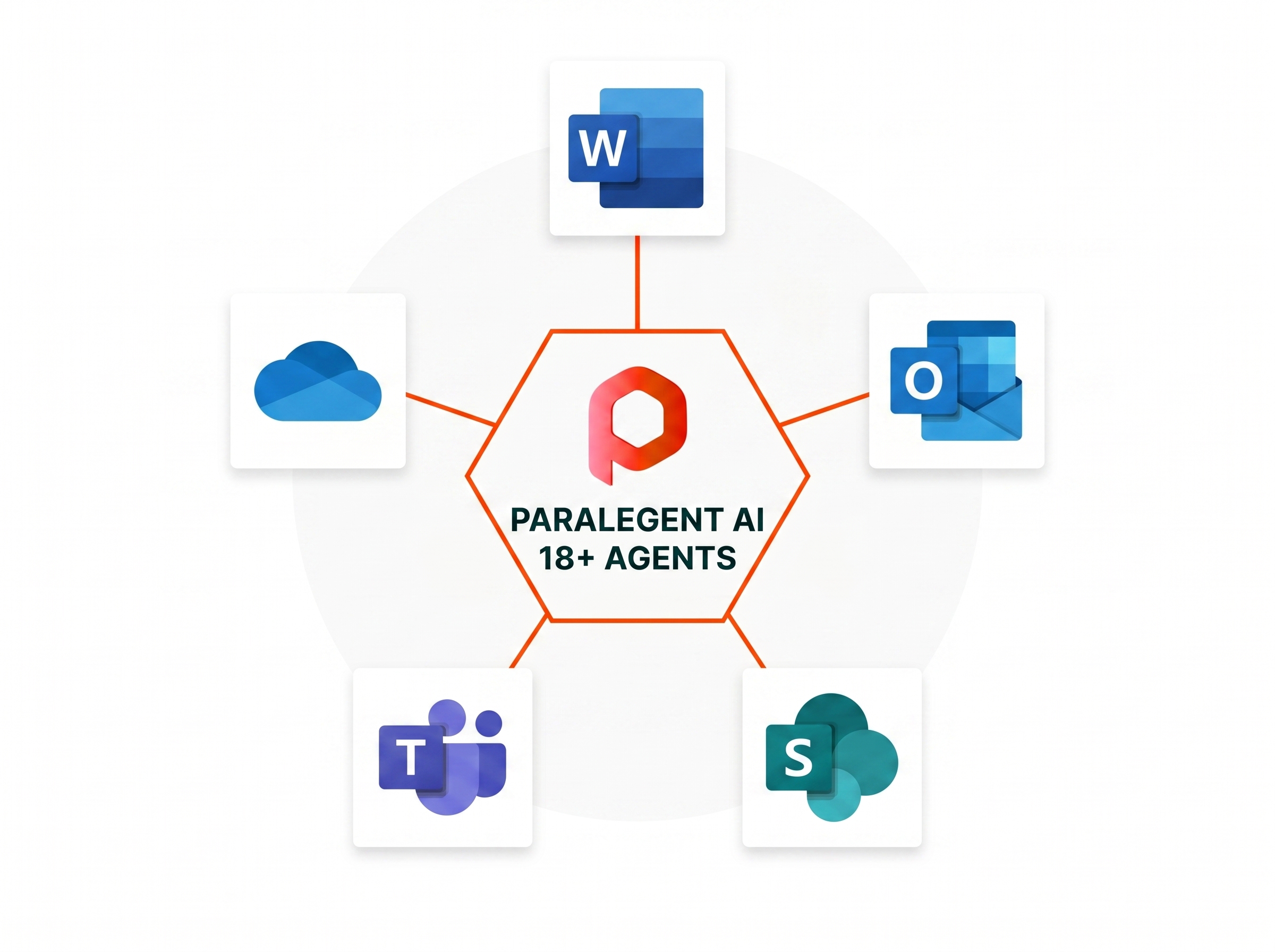
Your legal command center. Everywhere you work.
Paralegent AI plugs into Microsoft Word, your CLM, and your cloud — so 18+ AI agents analyze contracts where your team already works. No new tools. No data leaving your environment.







Every tool your team already uses.
Paralegent AI integrates with your existing CLM tools and deploys on your preferred LLM provider. Review contracts inside Microsoft Word while your CLM handles lifecycle, signing, and storage.


Native add-in. Review without leaving Word.
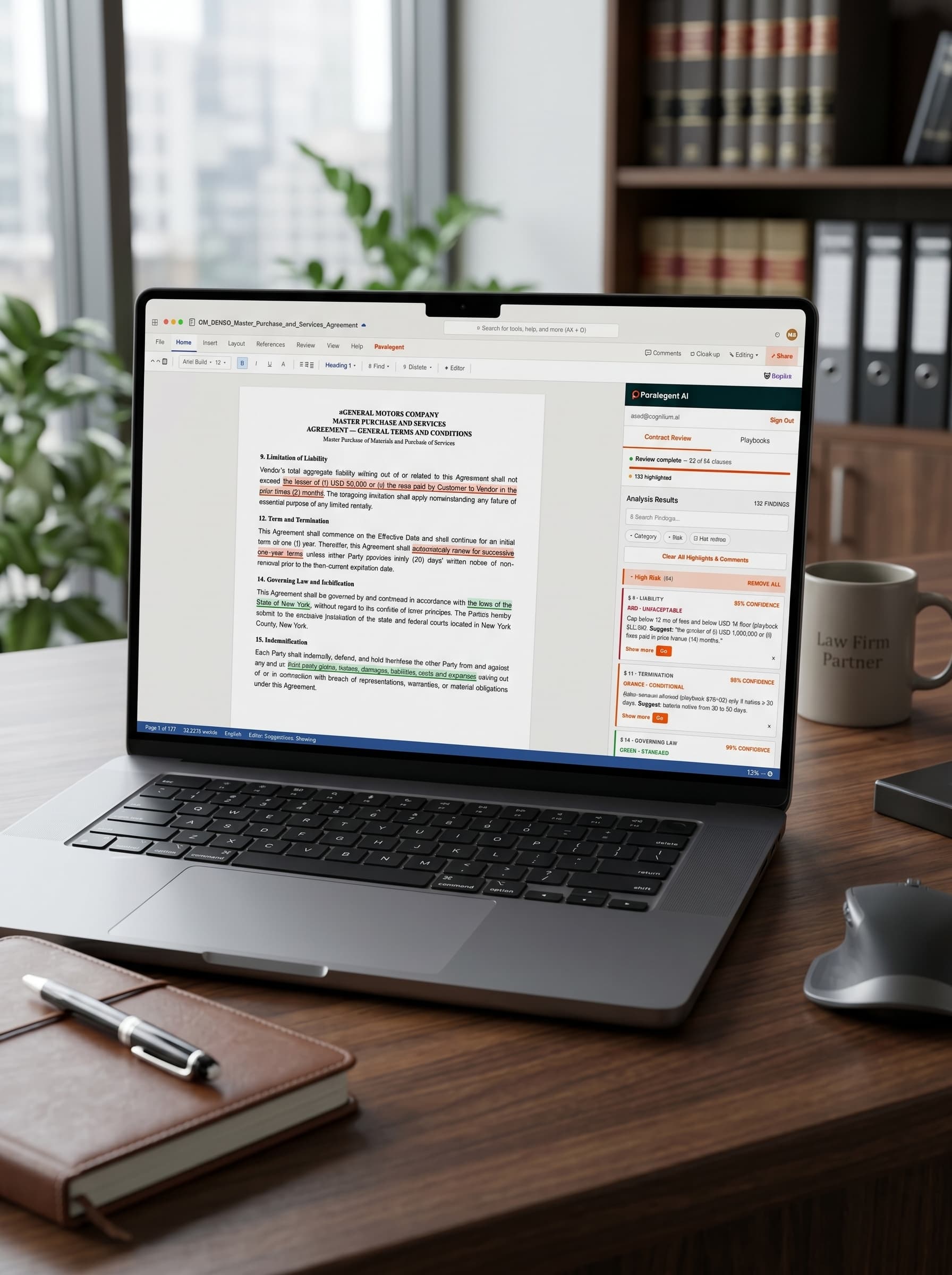
The Paralegent AI sidebar lives inside Microsoft Word — Desktop (Windows, Mac) and Web. Click “Review Contract”, 18+ agents analyze every clause, findings appear as native Word comments. Accept, modify, or reject with one click.
- Office.js — Word Desktop + Online
- Native Word comments anchored per clause
- Accept / Modify / Reject in one click
aGENERAL MOTORS COMPANY
MASTER PURCHASE AND SERVICES
AGREEMENT — GENERAL TERMS AND CONDITIONS
Master Purchase of Materials and Provision of Services
9. Limitation of Liability
Vendor's total aggregate liability arising out of or related to this Agreement shall not exceed the lesser of (i) USD 50,000 or (ii) the fees paid by Customer to Vendor in the prior three (3) months. The foregoing limitation shall apply notwithstanding any failure of essential purpose of any limited remedy.
12. Term and Termination
This Agreement shall commence on the Effective Date and shall continue for an initial term of one (1) year. Thereafter, this Agreement shall automatically renew for successive one-year terms unless either Party provides thirty (30) days' written notice of non-renewal prior to the then-current expiration date.
14. Governing Law and Jurisdiction
This Agreement shall be governed by and construed in accordance with the laws of the State of New York, without regard to its conflict of laws principles. The Parties hereby submit to the exclusive jurisdiction of the state and federal courts located in New York County, New York.
15. Indemnification
Each Party shall indemnify, defend, and hold harmless the other Party from and against any and all third-party claims, losses, damages, liabilities, costs, and expenses arising out of or in connection with breach of representations, warranties, or material obligations under this Agreement.
SharePoint. Teams. OneDrive. Outlook.
Contracts in SharePoint trigger automated review. Findings shared in Teams channels. OneDrive syncs reviewed documents. Outlook notifies stakeholders on RED findings. Enterprise SSO via Microsoft Entra ID. Read the full Microsoft 365 integration guide for setup details.
- SharePoint document libraries trigger review
- Teams notifications on RED findings
- OneDrive sync + Entra ID SSO
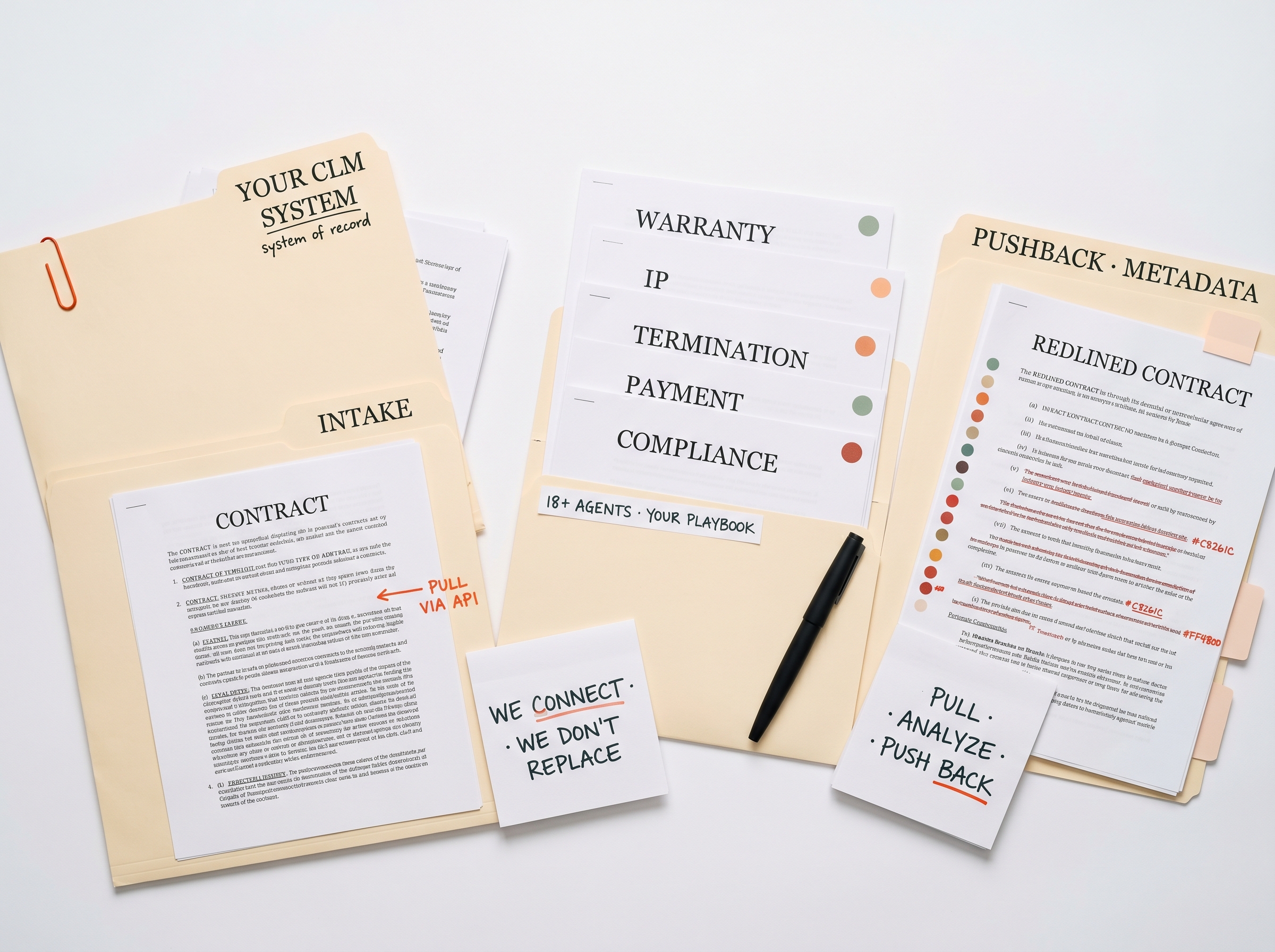
Agiloft. DocuSign CLM. Icertis. Ironclad.
Contracts flow from your CLM via API. 18+ agents analyze against your 80-150-term playbook. Classified redlines write back as CLM metadata or push to the Word Add-in. We connect to your CLM — we don't replace it. See how the CLM connectors work per system.
- Pull contracts via CLM API
- Push classified redlines back as metadata
- Connect to — not replace — your CLM
Your cloud. Your LLM. Your choice.
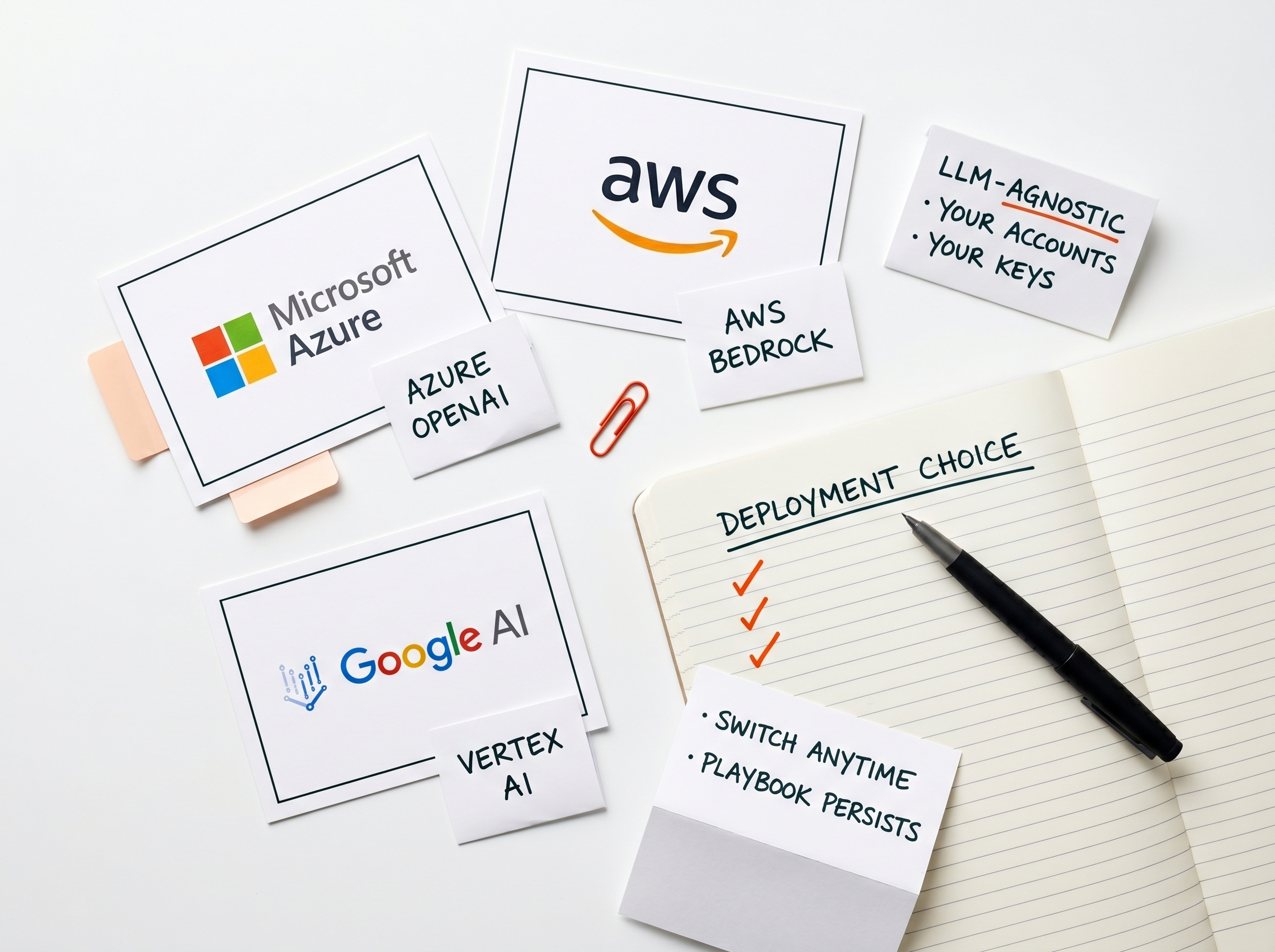
Deploy on Azure, AWS, or Google Cloud. Choose Azure OpenAI, AWS Bedrock, or Google Vertex AI. Your LLM costs run through your own accounts. Switch providers anytime — your playbook and review history persist. The cloud deployment architecture page covers all three providers in depth.
- Azure / AWS / GCP deployment
- Azure OpenAI / Bedrock / Vertex AI
- Switch LLM providers without re-implementation
Paralegent AI integrations vs SaaS alternatives.
How our integration model differs from typical SaaS contract AI tools.
| Paralegent AI | Typical SaaS Contract AI | |
|---|---|---|
| Primary interface | Inside Microsoft Word | Proprietary web app |
| CLM integration | Agiloft, DocuSign, Icertis, Ironclad | Limited or vendor-specific |
| Cloud deployment | Your Azure / AWS / GCP | Vendor's shared cloud |
| LLM choice | Azure OpenAI, Bedrock, Vertex AI | Vendor-chosen model |
| Data sovereignty | Zero data egress | Data on vendor servers |
| M365 ecosystem | SharePoint, Teams, OneDrive, Outlook | Limited or none |
| Switch providers | Anytime — LLM-agnostic | Locked to vendor model |
| Authentication | Microsoft Entra ID (SSO) | Vendor-specific login |
Integration that respects how your team works.
Five outcomes from an integration model built around your existing stack.
- Lawyers stay in Word. No new app. No copy-pasting. Contract review happens where the document lives — inside Microsoft Word.
- CLM stays your system of record. We connect to your CLM, not replace it. Contracts flow in, classified redlines flow back.
- Your cloud, your LLM, your keys. Deploy on Azure, AWS, or Google Cloud. Use your own LLM accounts. Switch providers anytime.
- Zero data egress. 18+ agents process contracts inside your environment. No data touches Paralegent servers.
- Enterprise SSO. Microsoft Entra ID for authentication. RBAC for access control. IT deploys through M365 admin center.


See Paralegent AI connect to your tools.
Request a demo — we'll show the Word Add-in, CLM connectors, and cloud deployment running in your environment.
Integration questions.
Common questions about how Paralegent AI connects to your existing tools and infrastructure.
Does Paralegent AI work inside Microsoft Word?
Yes — Paralegent AI ships a native MS Word Add-in built on Office.js. 18+ agents analyze every clause against your playbook and deliver GREEN/ORANGE/RED findings as native Word comments in 2-8 minutes. Works in Word Desktop (Windows, Mac) and Word Online.
Which CLM systems does Paralegent AI integrate with?
Paralegent AI integrates with Agiloft, DocuSign CLM, Icertis, and Ironclad. Contracts flow from your CLM into the accelerator, get analyzed by 18+ specialized agents against your playbook, and return with 40-50 precise redlines.
What LLM providers does Paralegent AI support?
Paralegent AI is LLM-agnostic. Deploy with Azure OpenAI, AWS Bedrock, or Google Vertex AI using your own accounts. You control the model, the costs, and the data. Built on LangGraph and Google ADK for multi-agent orchestration.
Can I deploy Paralegent AI in my own cloud?
Yes — Paralegent AI deploys as a production accelerator in your own Azure, AWS, or Google Cloud environment. Your contracts never leave your infrastructure. You own the deployed system, use your own LLM accounts, and maintain full data sovereignty.
How does data sovereignty work across integrations?
Every integration respects data sovereignty. Contracts processed through the Word Add-in, CLM connectors, or cloud deployment stay in your environment. 18+ agents run on your own LLM accounts with zero data egress to third parties.
Does Paralegent AI integrate with SharePoint and Teams?
Yes — full Microsoft 365 integration. Contracts stored in SharePoint trigger automated review. Findings can be shared in Teams channels. OneDrive syncs reviewed documents. Outlook notifications alert stakeholders to RED findings requiring escalation.
Can I switch LLM providers after deployment?
Yes — Paralegent AI is LLM-agnostic by architecture. Switch from Azure OpenAI to AWS Bedrock or Google Vertex AI at any time without re-implementation. Your playbook, agent configuration, and review history persist across provider changes.
How do CLM connectors work?
Contracts are pulled from your CLM via API. 18+ agents analyze against your 80-150-term playbook. Classified redlines are written back to the CLM as metadata or pushed to the Word Add-in for attorney review.
What authentication does Paralegent AI use?
Microsoft Entra ID (Azure AD) for enterprise SSO. The Word Add-in deploys through your Microsoft 365 admin center with IT-controlled access. RBAC ensures only authorized users can trigger reviews or access playbooks.
How long does integration setup take?
Integration configuration happens in weeks 5-6 of the 8-10 week implementation. The Word Add-in, CLM connectors, and cloud deployment are configured by a dedicated pod of 3-4 engineers. Your team operates independently after go-live.